
While writing a MD, DNB Thesis, the references make a headache for researchers. If we manually put the references and cross references in the study, it is very difficult to change them in the citation part and edit them.
What are the solutions for the reference management?
- The one way is to give endnotes as references in Ms word. While using this we can change or insert citations inside our thesis. It is very easy to give endnotes in Ms. Word.
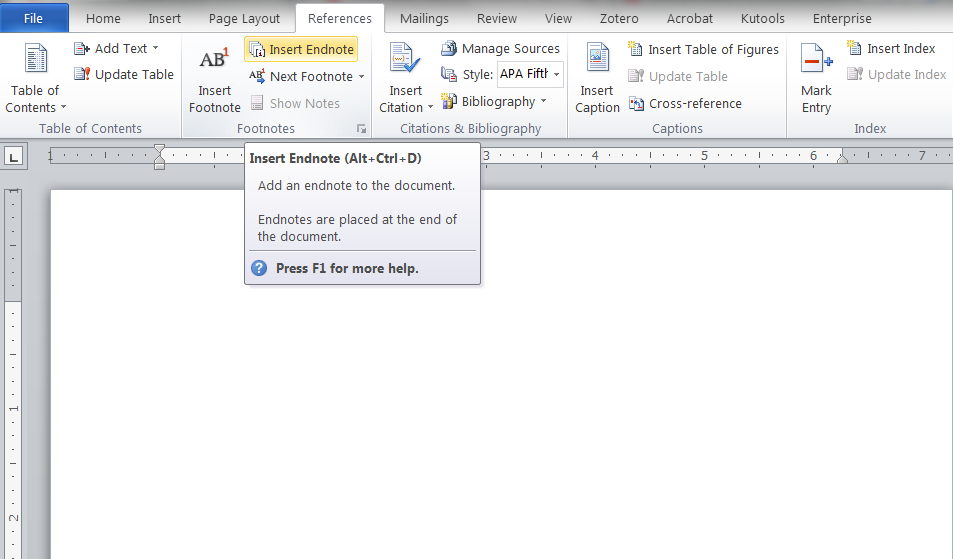
You can insert an endnote by clicking in reference tabs and click on endnote (Shortcut is alt+ctrl + D).
What is an endnote?
An endnote is a reference, explanation, or comment placed at the end of an article, research paper, chapter, or book. The problem with the endnote is it appears in the end of the document. In KUHs thesis, after the references we have to place appendices. So it will become a really a problem. In the top of references page a horizontal line appears, this line will repeat on the appendices pages also. it is difficult to format the text afterwards. When we have to change the header of appendices, it is not possible to give a section break. The only way is to make appendices a seperate file and format it.
2. In this situation, we should need a best reference management software for our thesis. Zotero is the best reference management software which is very easy to use. Zotero is a free and open-source reference management software to manage bibliographic data and related research materials (such as PDF files).
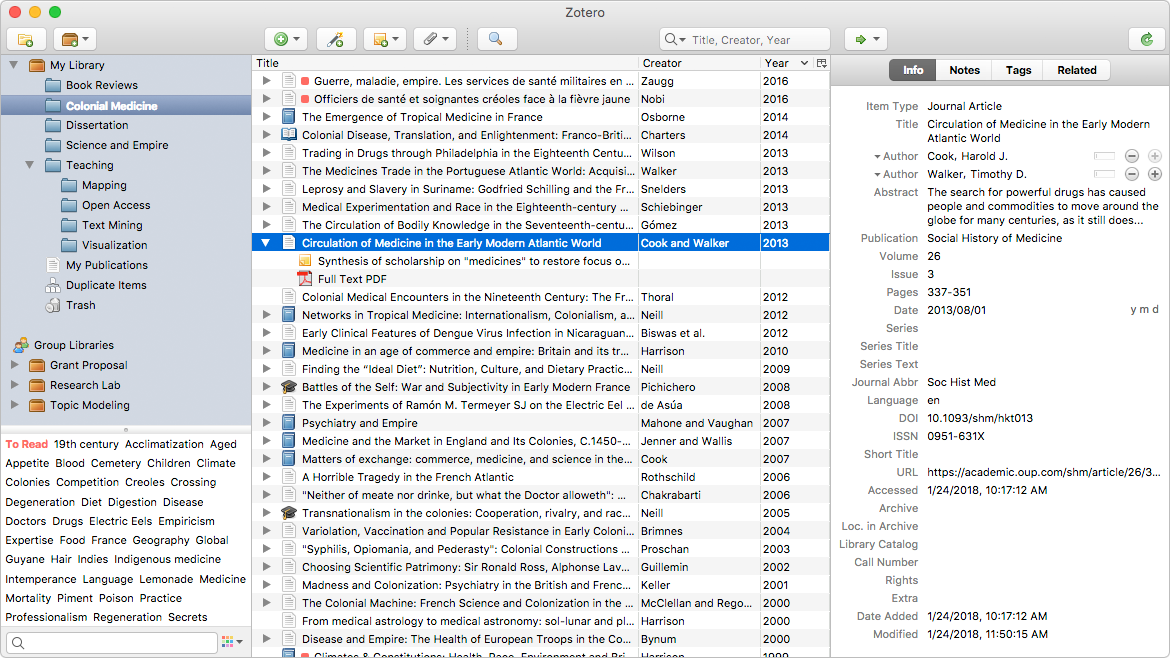
What features make the Zotero as the best reference manager ?
- With a single click we can collect the journals, pdf files etc. it automatically senses the research on web.
- We can organise our references to a collection or group or give tags. For eg. we are using two studies, we can make two folders and drag and drop the appropriate references to the folders.
- Easy synchronisation is the best feature in zotero. it means if we use a laptop in our home and if we make a free account in zotero and save the references, i.e. syncing the references to the zotero server, we can complete or make any changes in other computer by logging in zotero account, just opening a gmail from different places.
- Zotero lets you co-write a paper with a colleague, distribute course materials to students, or build a collaborative bibliography. You can share a Zotero library with as many people you like, at no cost.
- Zotero is open source and developed by an independent, nonprofit organization that has no financial interest in your private information. With Zotero, you always stay in control of your own data.
How to download Zotero software?
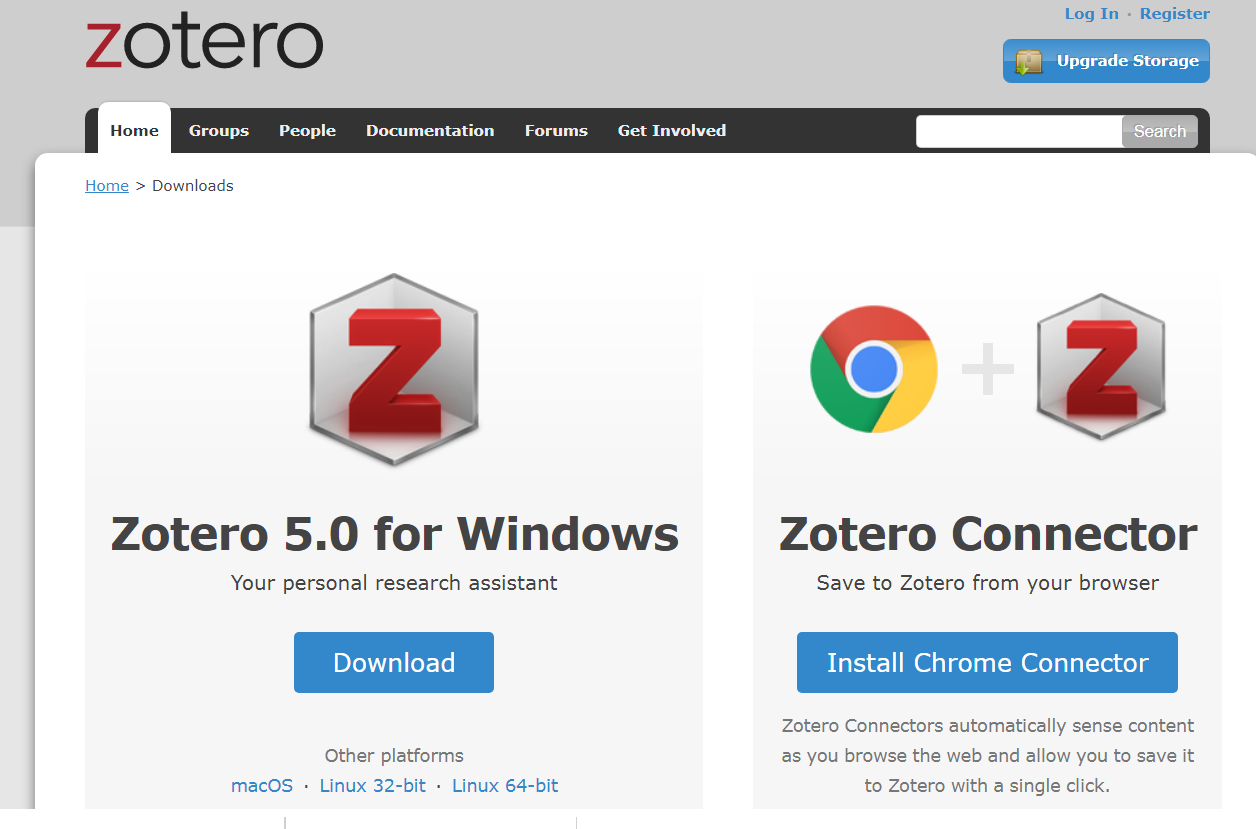
Clik here for downloading the Zotero software. The software is divided into two parts. One is zotero connector with our browser for collecting data. The other is managing the collected references, if we install zotero software, a new tab will appear in Ms word.
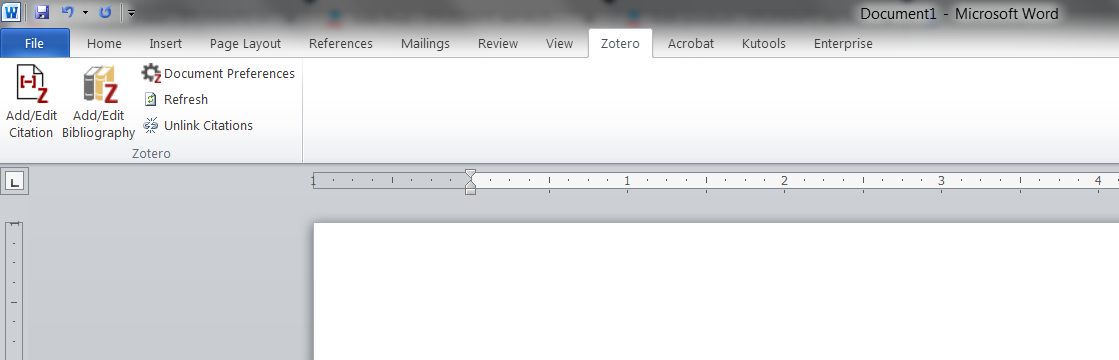
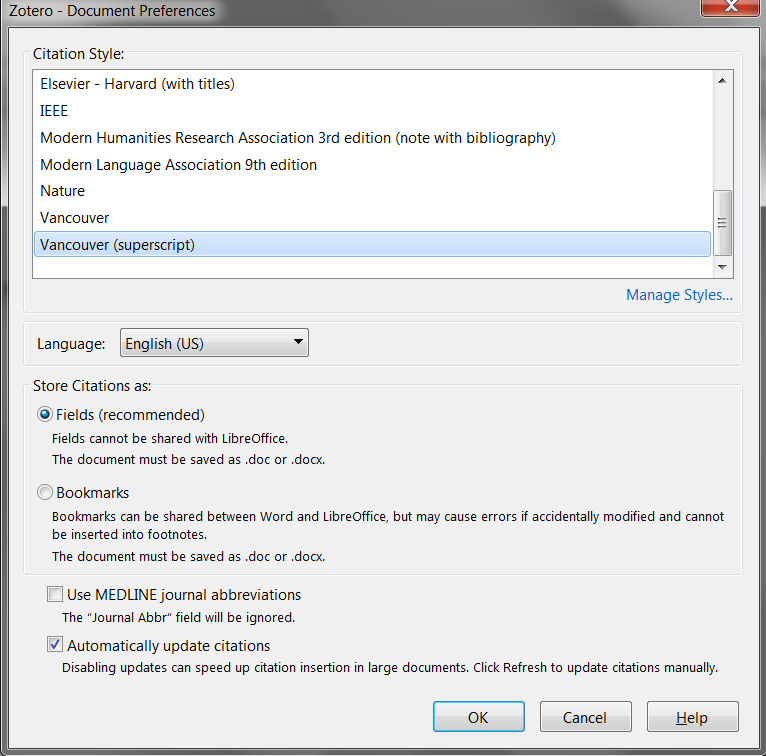
First, we should collect the reference through our browser to the zotero library. Then we should open the zotero software from our programs. After that open our research for adding references in MS word. We should choose which style of references we need (eg. vancouver, APA etc). There are many rejections occurs in DNB thesis for the wrong style (vancouver) entered references. By default there will be vancouver style. But the problem while we add this style, the cited numbers in the research will be not superscript. it will come as normal text. The citations should be in superscript.
How to add or manage references style to vancouver superscript?
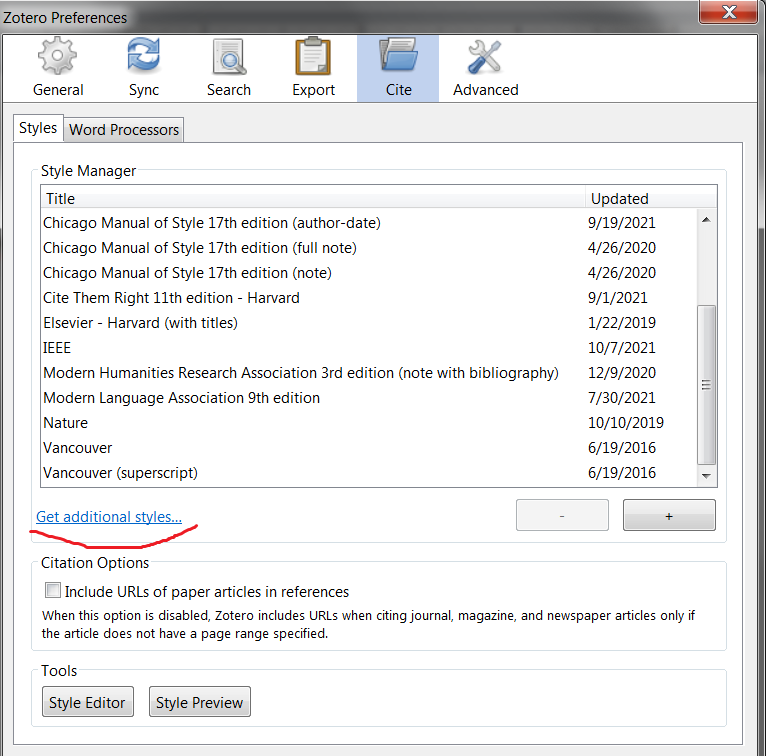
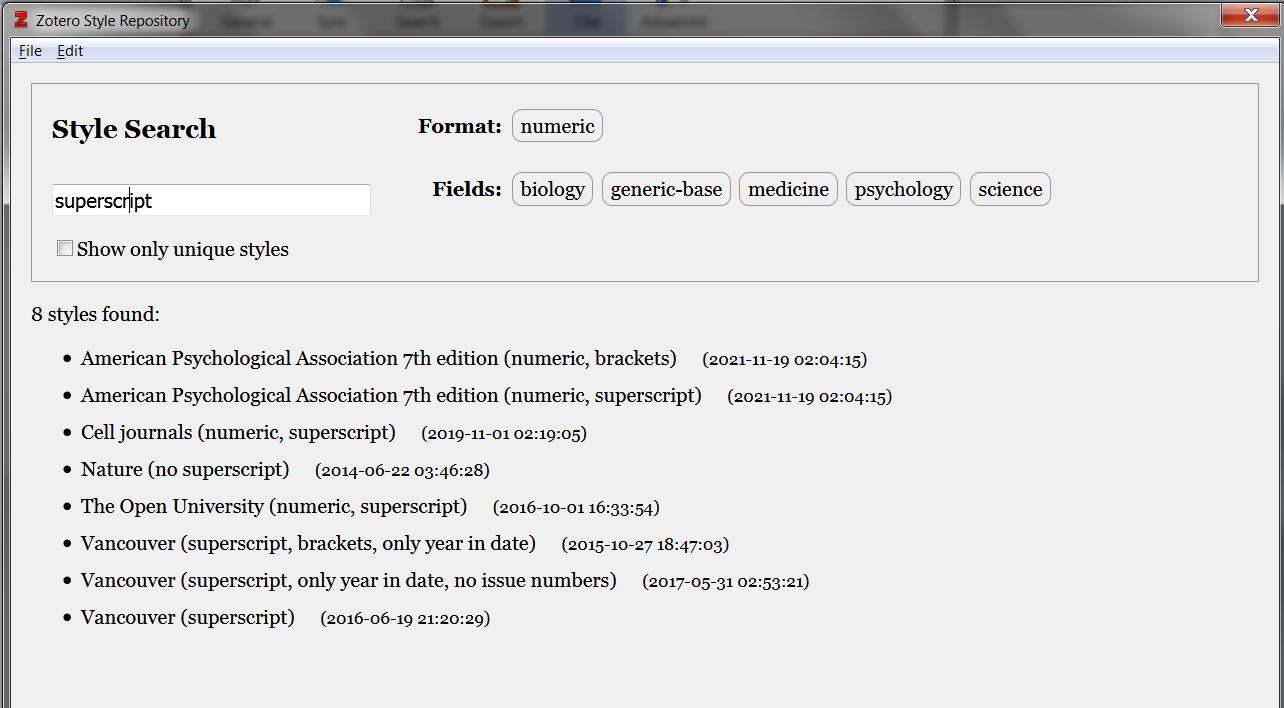
Here is an esy way to give vancouver superscript style. Go to document preferences, and click on manage preferences, then click on additional styles, search superscript on it, here we can see the vancouver superscript style, just add it. It will reflect in our word processor.
Just go to our research and add the citations and insert the references from our library. After adding all the references in the document click on add / edit Bibliography. When we do this all the references cited above will be pasted in our document with the respective numbers. This is the easiest way for building bibliography in a research or thesis.
What about Mendeley?
Mendeley is another popular free reference manager, developed by Elsevier. It is a strong alternative to Zotero, and many medical researchers prefer it because it is especially good at organising and reading large numbers of PDF articles.
- Build your library: use the Mendeley Web Importer (a browser button) to save journal articles and PDFs to your library in one click, just like Zotero.
- Read and annotate: Mendeley has a built-in PDF reader where you can highlight and add sticky notes — useful while you review your references for the thesis.
- Cite in Word: install the Mendeley Cite add-in for MS Word. You can then insert citations and generate your bibliography automatically.
- Choose your style: Mendeley supports Vancouver, APA and thousands of other styles. As with Zotero, select Vancouver for medical and DNB theses, and make sure the in-text numbers appear in superscript as your university requires.
- Sync across devices: a free Mendeley account syncs your library so you can work from your laptop at home and a computer elsewhere.
Note that the older Mendeley Desktop has been replaced by the newer Mendeley Reference Manager and the Mendeley Cite add-in, so download the current version from the official website.
Zotero or Mendeley — which should you use?
Both are free and both do the job for a KUHS or DNB thesis. In short: Zotero is open-source and excellent at capturing references from the web, while Mendeley shines if you read and annotate a lot of PDFs. Pick one and stick with it for the whole thesis — mixing two managers in the same document causes formatting problems.
A reference video is given below for Zotero tutorial